
AI Virtual Try-On for Jewelry
Create on-model jewelry images from a reference and review pendant shape, product count, placement, and scale before publishing.
By AIDesigners ·
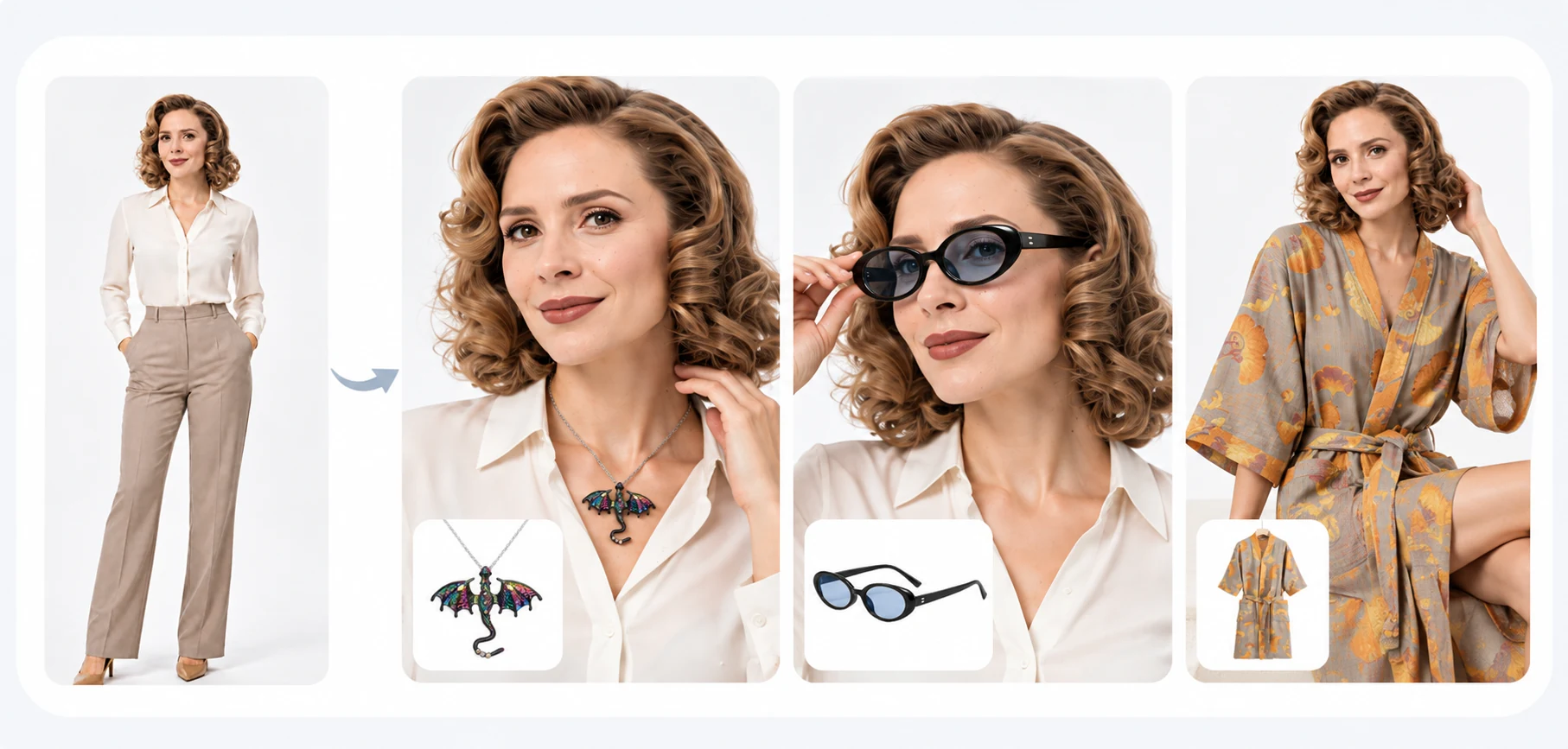
Start with the photographed piece
Upload a clear view of the jewelry and choose a model. Use the first product reference to establish the shape and number of pieces. If the chain, clasp, or setting is important, add a second angle. The necklace example above shows how a separate product image becomes an on-model composition.
For necklaces, use an upper-body shot that leaves room around the neckline. For rings and bracelets, start with a close-up and a pose that exposes the wearing hand. For earrings, check that the hair leaves the attachment point visible.
Review the finished image beside the reference
- Match pendant shape, stone count, and the number of chains or rings.
- Check that the jewelry sits on the intended finger, wrist, neck, or ear and makes plausible contact.
- Check skin and hands for distortions and look for invented stones, clasps, or markings.
- Describe size and fit with the product’s measured dimensions. A generated on-model image gives styling context and cannot measure an individual shopper.
Choose useful variations
Start with a clear studio close-up for inspection and an upper-body portrait for styling context. AIDesigners charges 3 credits per image and supports up to eight outputs per batch on eligible plans. Portrait, square, vertical, and landscape layouts are available.